Connect an AI model
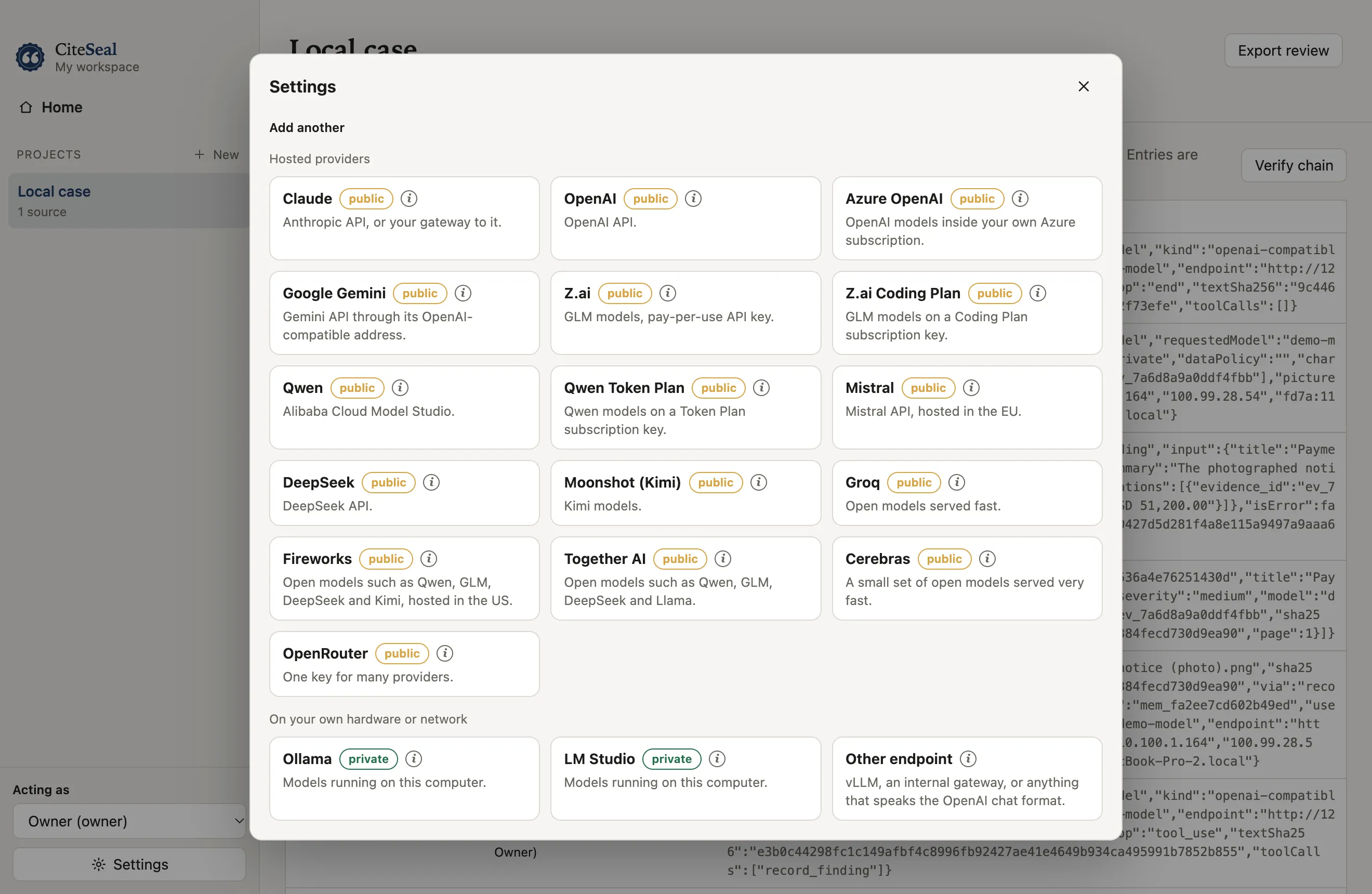
The assistant is whichever model you connect: Claude, another hosted provider, any endpoint that speaks the OpenAI chat format, or a model running on your own computer through Ollama or LM Studio. The model must be able to call tools.
Every provider is marked private orpublic, and each carries a data-handling note that is written to the audit log with every call. The app records that note; it cannot verify it.
Create a project and point it at folders
A project is one matter: a name, a description of what you are looking for, and one or more folders. A folder can be on this computer or in Dropbox, OneDrive or Box, connected read-only through an app registration your organisation owns.
The assistant can list, search and read inside those folders and nowhere else.
Where a folder can be
- This computer. No cloud account or app registration is needed.
- Dropbox, OneDrive or Box. Read-only permissions, through a registration your organisation owns.
- Files added to the project. Copied into the app's own folder on this computer and nowhere else.
Ask the assistant
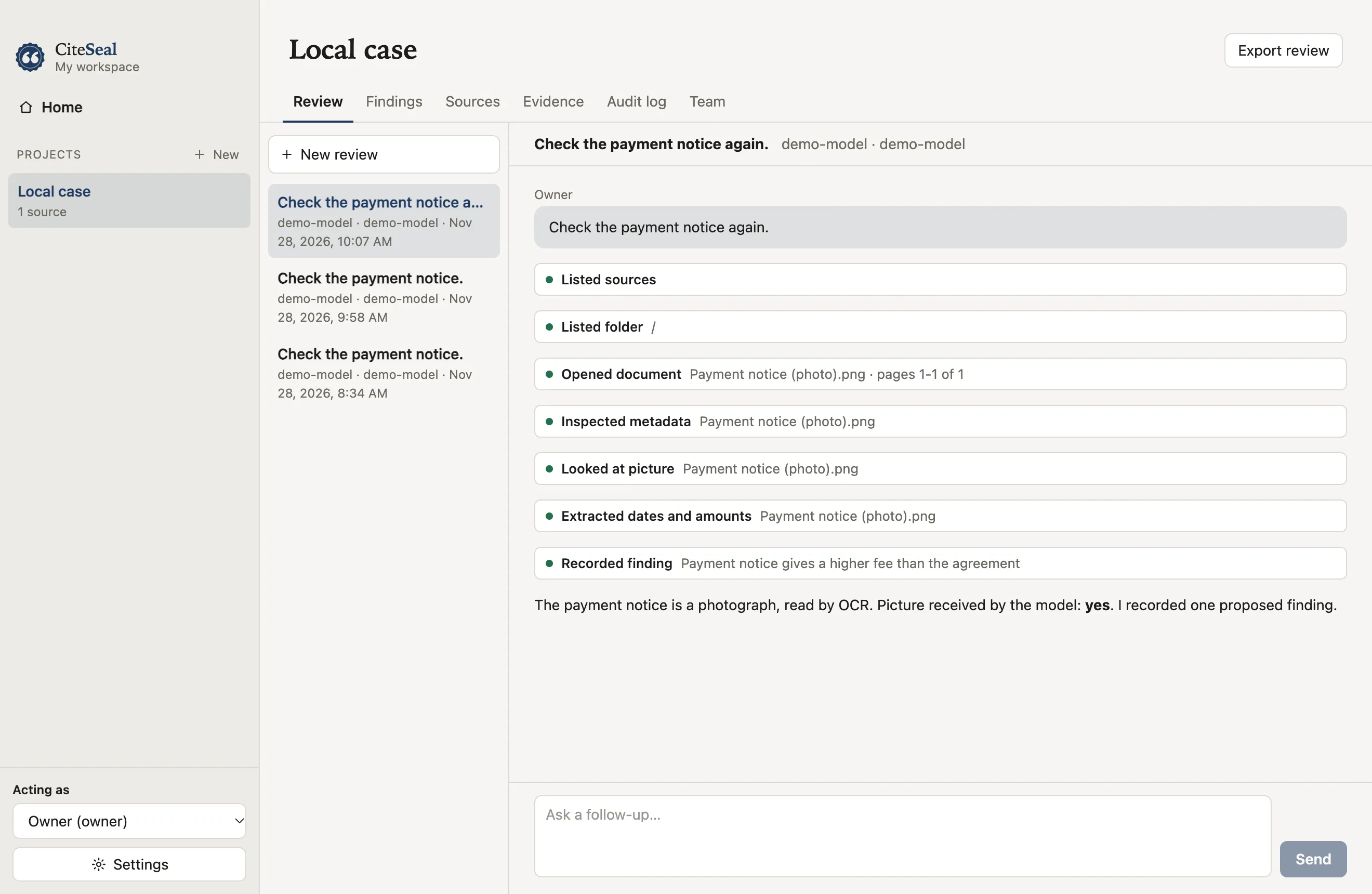
Ask in plain words: “Find clauses about renewal or termination and record a finding for each, with citations.” Each step the assistant takes appears as a line you can expand.
Besides reading, it can inspect a file's metadata, compare two documents, pull out dates and amounts, look at photographs and scans, and look through the frames of a video.Treat its reply as a lead and the finding as the record.
Confirm or reject each finding
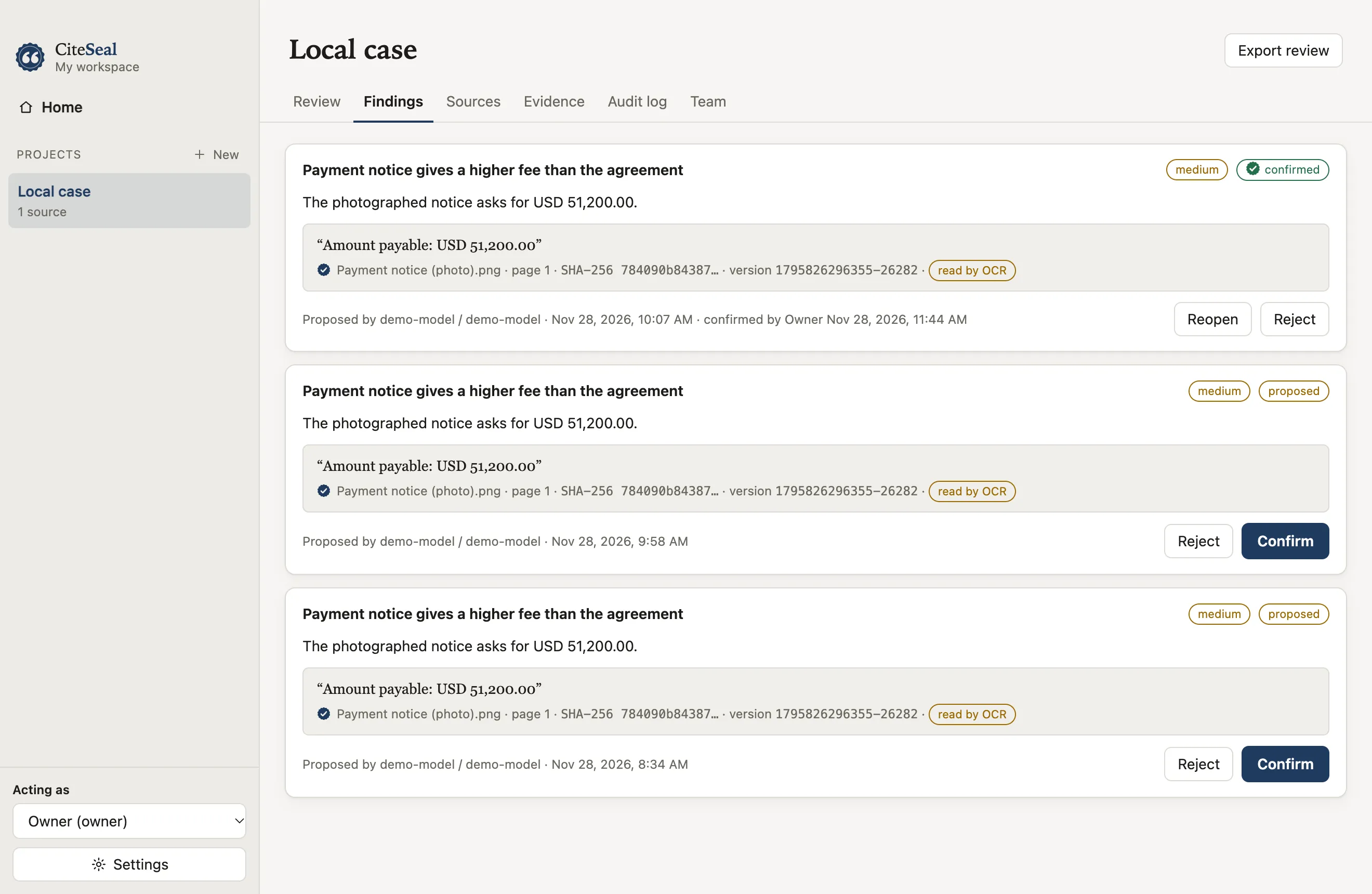
A finding is a statement backed by quotes. It is stored only if every quote is on the cited page, word for word; otherwise it is refused and the refusal is logged. Stored findings wait asproposed until a person confirms or rejects them.
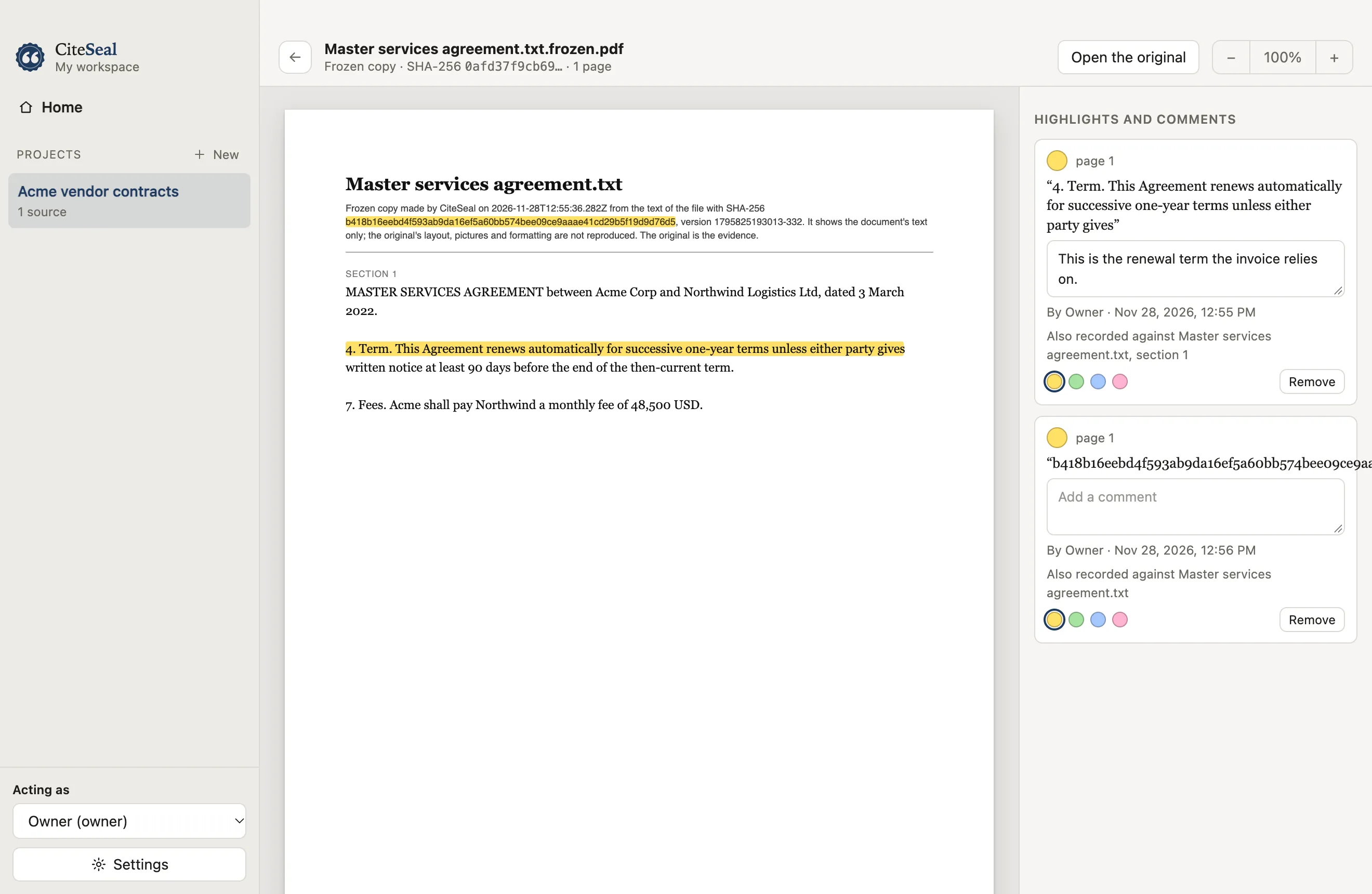
Click the file name under a quote to open the document, with the quoted passage underlined on the page. You can highlight and comment there too; a highlight is held to the same rule as a quote.
Export the review
Export review makes a PDF report to hand over: findings with their quotes and who decided, every document's fingerprint, every review conversation, and the audit trail. It also lists each model used with its data-handling note and a copy of its provider's published policy pages, taken on the day of the report.
The same records can be saved as JSON for other software. Neither file contains the documents themselves, and each export is logged with the file's fingerprint.
What the assistant cannot do
- Change, move or delete anything.
- Reach outside the project's folders.
- Browse the web.
- Follow instructions written inside a document. It is told to report them as facts about the document.
Want to try it on a matter of your own?
CiteSeal is pre-release. Tell us what you review and we will help you get it running, or look at the builds published on GitHub.